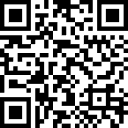
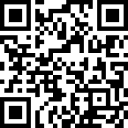
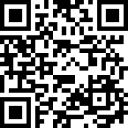
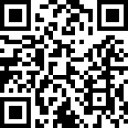
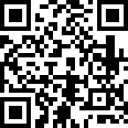
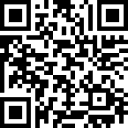
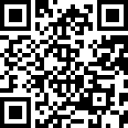
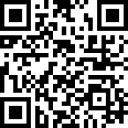
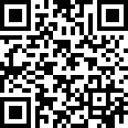
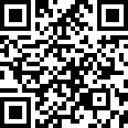
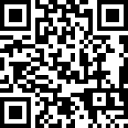
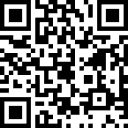
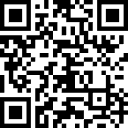
To accept contracts, you need to sign (send) with 0.0001 – The accept contracts all have a square border to help you scan them.
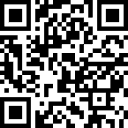
To complete contracts, you need to sign (send) with 0.0002 – The complete contracts all have an inset rounded border to help you scan them.
Use the menu/links below for shortcuts or scroll down the page.

Wait until you are prompted in-game to sign (send) the contract.
It is our policy not to refund unless there is a significant bug.

Yarom 1 Contract – Accept

When prompted, use the QR code to the right to accept your Yarom 1 Contract.

Address 1C72sRS8zrJxoYqLmLZkhefSvrWDfbmFaK – WhatsOnChain.com – BSV Explorer – Mainnet

Yarom 1 Contract – Complete

When prompted, use the QR code to the left to complete your Yarom 1 Contract.

Address 17NGzGxrDTMJ9b8Wig2fNJoFoMXpdL9qX – WhatsOnChain.com – BSV Explorer – Mainnet

Yarom 2 Contract – Accept

When prompted, use the QR code to the right to accept your Yarom 2 Contract.

Address 1BELnSzKDdoL2Ay3CmCVxjNFFVTjsA7cJi – WhatsOnChain.com – BSV Explorer – Mainnet

Yarom 2 Contract – Complete

When prompted, use the QR code to the left to complete your Yarom 2 Contract.

Address 1AUqHGadj1QSjAh2c6HDDFryEmg6vsRL2V – WhatsOnChain.com – BSV Explorer – Mainnet

Yarom 3 Contract – Accept

When prompted, use the QR code to the right to accept your Yarom 3 Contract.

Address 1DymogqQKmAQ84t1xC17Z636baYs5x56ax – WhatsOnChain.com – BSV Explorer – Mainnet

Yarom 3 Contract – Complete

When prompted, use the QR code to the left to complete your Yarom 3 Contract.

Address 1G6m3agiAkgYB3VbiKpJiU1bh2PtKSdDyC – WhatsOnChain.com – BSV Explorer – Mainnet

Yarom 4 Contract – Accept

When prompted, use the QR code to the right to accept your Yarom 4 Contract.

Address 1H4qwXhp1uhVVcxWaqcyxLtSNtMg3KAL5i – WhatsOnChain.com – BSV Explorer – Mainnet

Yarom 4 Contract – Complete

When prompted, use the QR code to the left to complete your Yarom 4 Contract.

Address 1G443GjNLKmwFJfPY4BgQh9U1C92wvxMbM – WhatsOnChain.com – BSV Explorer – Mainnet

Yarom 5 Contract – Accept.

When prompted, use the QR code to the right to accept your Yarom 5 Contract.

Address 16GZbQrmQr63XCogZKEamPh2C7Mb18rAoX – WhatsOnChain.com – BSV Explorer – Mainnet

Yarom 5 Contract – Complete

When prompted, use the QR code to the left to complete your Yarom 5 Contract.

Address 1GWByLT17aY4mUkeCjwAQdNzCGogvBVPPD – WhatsOnChain.com – BSV Explorer – Mainnet

Yarom 6 Contract – Accept

When prompted, use the QR code to the right to accept your Yarom 6 Contract.

Address 13jss3BATQCiAv6eFQr1W8Kzw2HzBewYkH – WhatsOnChain.com – BSV Explorer – Mainnet

Yarom 6 Contract – Complete

When prompted, use the QR code to the left to complete your Yarom 6 Contract.

Address 19vPHr4SZGvoJ1f3ExxYvsYhzwfWN1CMbE – WhatsOnChain.com – BSV Explorer – Mainnet

Yarom 7 Contract – Accept

When prompted, use the QR code to the right to accept your Yarom 7 Contract.

Address 1DmCBHNLnp91KqUgpKXbk6yHzsa3KjQ5QC – WhatsOnChain.com – BSV Explorer – Mainnet

Yarom 7 Contract – Complete

When prompted, use the QR code to the left to complete your Yarom 7 Contract.

Address 19ZJRCcQtVcXQGAZnfCsbVuT7ZZvu9Pyju – WhatsOnChain.com – BSV Explorer – Mainnet